Vogn
0
Tilmeld dig og få 10% i rabat på din ordre
Forventet levering
1-3 dage
Du vil måske også kunne lide





Dansk Firma

TL;DR:
- Ergonomic chairs support natural body alignment and reduce back pain through adjustable features. Combining proper adjustment with movement habits enhances health benefits and productivity. The right chair and habits together protect long-term musculoskeletal health.
Ergonomic chairs are defined as seating designed to support the body’s natural alignment, reduce physical strain, and adapt to individual body dimensions during extended sitting. The benefits of ergonomic chairs go well beyond basic comfort. Research shows chairs with adjustable lumbar support reduce lower back pain by 40% over eight weeks compared to standard office chairs. Models like the Steelcase Leap V2 and Herman Miller Aeron have set the benchmark for what adjustable, body-responsive seating can do. Whether you work in a corporate office or at a kitchen table, the right chair changes how your body feels and how well your brain performs.

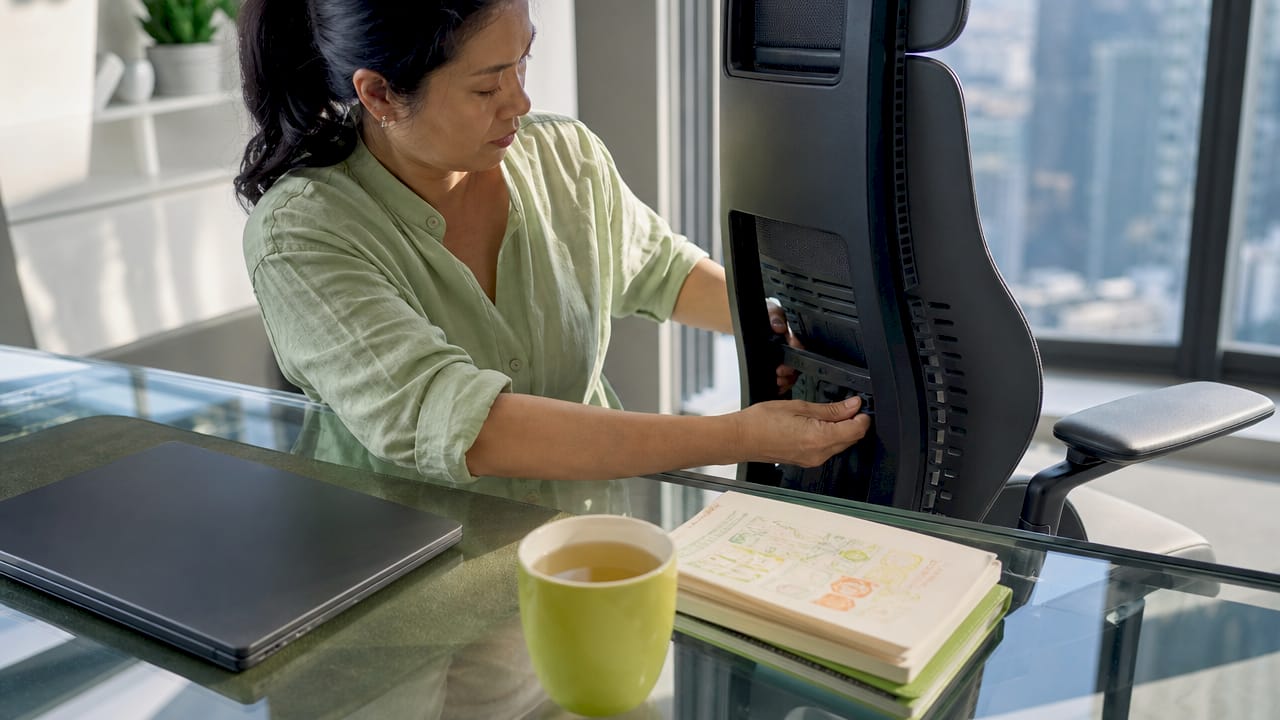
Adjustable lumbar support is the single most impactful feature for back pain relief. It holds the inward curve of your lower spine in place, preventing the slumping that causes disc compression and muscle strain over a long workday. Without that support, your lower back muscles work overtime just to keep you upright.
Chairs that allow dynamic movement take this further. Dynamic seating reduces muscle fatigue by 27% compared to static chairs that lock you into one position. That difference adds up fast across an eight-hour day. Features like recline tension control and seat depth adjustment let your body shift naturally rather than fighting the chair.
Pro Tip: Spend 15–30 minutes calibrating your chair when you first get it. Proper seat calibration matters more than the chair’s price tag. A well-adjusted mid-range chair consistently outperforms a misadjusted premium model.
The spine has a natural S-curve, and most standard chairs flatten it. Ergonomic chairs are built to preserve that curve through the entire workday. The backrest contour, lumbar zone, and seat angle all work together to keep your vertebrae stacked correctly.
The 100–110 degree recline angle is the sweet spot for spinal disc pressure. Sitting rigidly upright at 90 degrees actually increases disc load more than a slight recline does. That counterintuitive fact surprises most office workers who were told to “sit up straight.”
Ergonomic chairs should support motion, not enforce a single rigid posture. The goal is a living, breathing sitting position that shifts slightly throughout the day.
Physical discomfort is a direct tax on your concentration. When your back aches or your legs go numb, your brain splits its attention between the task and the pain signal. Ergonomic seating reduces cognitive load caused by pain, freeing up mental bandwidth for actual work.
The numbers back this up. Ergonomic chair provision combined with training lowers back-pain-related sick days by 54%, with the cost of the chair typically recouped within 12 months through productivity gains. That is a compelling return on investment for any remote worker or employer.
“Ergonomic seating improves productivity by reducing physical discomfort and cognitive load, helping workers maintain focus and reduce errors across long work sessions.” — Buro Seating
Not every chair marketed as “ergonomic” delivers the same advantages. The label is not regulated, so you need to evaluate specific features rather than trust the packaging. Here is how the key adjustments compare.
| Feature | What it does | Why it matters |
|---|---|---|
| Adjustable lumbar support | Matches the chair’s backrest curve to your spine | Prevents lower back slumping and disc compression |
| Seat depth adjustment | Moves the seat pan forward or back | Fits leg length and prevents knee pressure |
| Recline with tension | Controls how much resistance the backrest offers | Allows dynamic posture shifts under load |
| Adjustable armrests | Changes height, width, and angle | Reduces shoulder and neck tension during typing |
| Seat height range | Raises or lowers the seat pan | Aligns thighs parallel to the floor for any height |
| Headrest | Supports the cervical spine | Reduces neck strain during reclined working |
The Steelcase Leap V2 uses a LiveBack system that flexes with your spine’s shape. The Herman Miller Aeron uses a PostureFit SL mechanism that supports both the sacrum and lumbar simultaneously. Both represent what well-engineered adjustability looks like in practice.
Pro Tip: Before buying, check whether the seat height range actually fits your body. A chair with a height range of 16–20 inches works for most adults, but taller or shorter workers need to verify this before purchasing.
A chair alone does not fix a sedentary work style. Research is direct on this point: buying a chair without behavioral changes delivers only a third of the benefits that a full ergonomic intervention provides. The chair is the foundation, not the whole building.
The most effective approach combines the chair with structured habits. Standing every 20–30 minutes, setting posture reminders, and pairing your setup with a monitor at eye level all multiply the chair’s impact. Think of it as an intervention bundle rather than a single purchase.
Remote workers face a unique problem: no one is checking their setup. Office workers at least have IT departments and facilities teams nudging them toward proper workstations. At home, you are on your own, and the kitchen chair or hand-me-down office chair is quietly wrecking your back.
The ergonomic chair advantages for remote workers are especially strong because the investment pays off daily. You sit in that chair for eight or more hours with no commute to break it up. Meta-analyses show that ergonomic interventions halve the odds of lower-back musculoskeletal pain, with an odds ratio of 0.53. That is a meaningful reduction for anyone logging long hours at a home desk.
Budget does not have to be a barrier. Mid-range chairs from brands like Branch, Autonomous, or Flexispot offer most of the critical adjustability features at a fraction of the cost of a Herman Miller. The key is adjustability, not brand prestige. You can also check out ergonomic seating fundamentals to understand what features to prioritize before spending a dollar.
The long-term ergonomic chair health benefits extend beyond back pain. Proper seating reduces the risk of repetitive strain injuries in the shoulders and neck, improves circulation in the legs, and lowers the cumulative physical stress that builds into chronic conditions over years of desk work.
Continuous-flex backrests, found in chairs like the Steelcase Gesture, track spinal micro-movements throughout the day. This is a meaningful upgrade over fixed lumbar pads that support one position and ignore the rest. Your spine moves constantly, even when you think you are sitting still. A backrest that moves with it prevents the micro-injuries that accumulate silently over months.
The evidence is consistent: ergonomic chairs with proper adjustment and behavioral support produce measurable, lasting improvements in musculoskeletal health. The investment is not just about comfort today. It is about protecting your body from the compounding damage of years spent in the wrong chair.
Ergonomic chairs deliver the greatest benefit when paired with proper adjustment, regular movement breaks, and posture awareness as a complete system.
| Point | Details |
|---|---|
| Back pain reduction | Adjustable lumbar support cuts lower back pain by 40% over eight weeks versus standard chairs. |
| Muscle fatigue | Dynamic seating reduces muscle fatigue by 27%, keeping energy levels steadier across the workday. |
| Productivity gains | Ergonomic chair programs lower back-pain sick days by 54%, with costs recouped within 12 months. |
| Adjustment is critical | A well-adjusted mid-range chair outperforms a misadjusted premium model every time. |
| Behavior multiplies results | Chair alone delivers only a third of the benefits without movement breaks and posture training. |
I have parked my posterior in a lot of chairs over the years, from cheapo plastic office castoffs to a Herman Miller Aeron that cost more than my first bicycle. Here is what I have actually learned: the chair matters less than how you use it.
The biggest mistake I see is people dropping serious money on a premium chair, plopping into it without adjusting a single lever, and then wondering why their back still hurts. A $1,500 chair set up wrong is worse than a $400 chair dialed in correctly. Spending 15 minutes with the adjustment guide that comes in the box is the single highest-return activity you can do on day one.
The second thing I have noticed is that no chair fixes a sedentary habit. I went through a phase where I thought the right chair would let me sit for six hours straight without consequence. It does not work that way. The chair reduces the damage; it does not eliminate it. Standing up every 30 minutes, even just to refill a water bottle, makes a bigger difference than upgrading from a good chair to a great one.
My practical advice: buy the most adjustable chair your budget allows, spend real time calibrating it to your body, and treat movement breaks as non-negotiable. That combination beats any single chair on the market.
— Jonas
If you spend most of your day at a desk, your chair is the piece of equipment you use more than anything else in your workspace. Getting it right pays off in comfort, focus, and long-term health.

Sitpack builds seating with comfort and portability at the center of every design. Whether you need a chair for a fixed home office or a flexible setup that travels with you, Sitpack’s range covers both. The Sitpack portable seating collection is worth a look if you want well-designed options that do not compromise on support. For a more traditional office setup, the executive swivel chair from Cozyhome pairs classic ergonomic design with a full range of adjustments for long workdays.
Ergonomic chairs reduce lower back pain, decrease muscle fatigue, improve posture, and support sustained focus by removing the physical discomfort that competes with concentration during long work sessions.
Yes. Chairs with adjustable lumbar support reduce lower back pain by 40% over eight weeks compared to standard chairs, according to research published by SitBetterLab.
Most workers notice reduced discomfort within one to two weeks of using a properly adjusted ergonomic chair, with significant pain reduction measurable over an eight-week period.
No. A well-adjusted mid-range chair consistently outperforms a misadjusted premium model. Proper calibration of seat height, depth, and lumbar support matters more than price.
No. Research shows that a chair alone delivers only a third of the benefits of a full ergonomic intervention. Regular movement breaks and posture training are necessary to get the full health and productivity gains.