Vogn
0
Tilmeld dig og få 10% i rabat på din ordre
Forventet levering
1-3 dage
Du vil måske også kunne lide





Dansk Firma

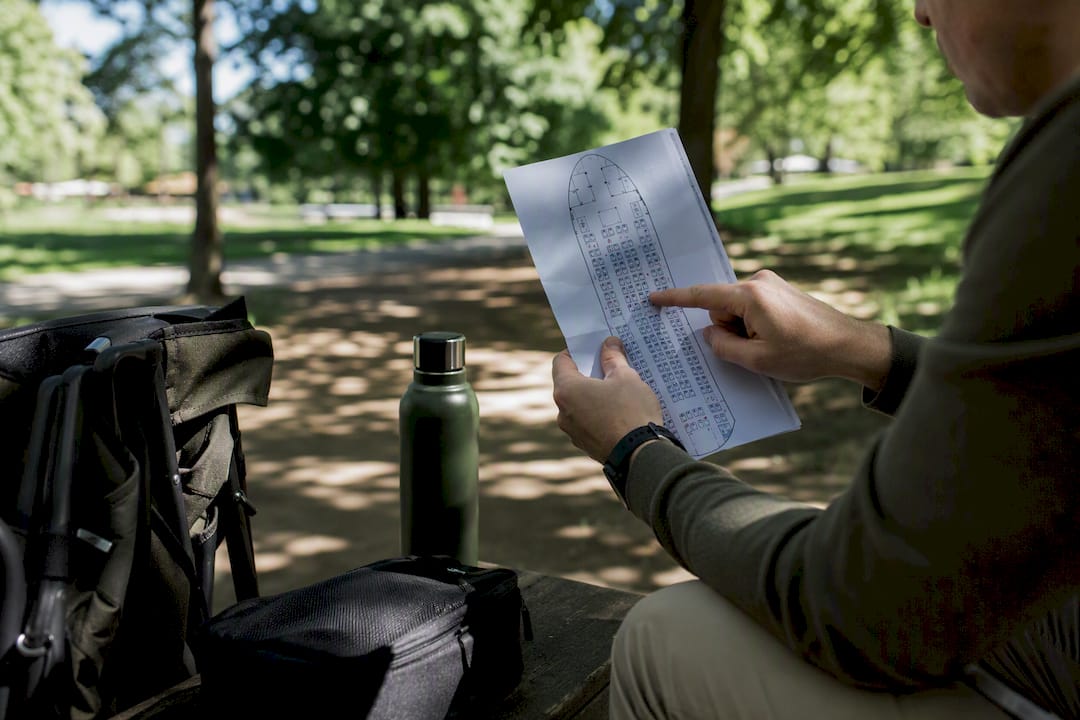
Enter your flight number and travel date on a seat-map tool or your airline’s manage-booking page to pull up the exact cabin layout for your trip, then check it again during 24-hour online check-in when the aircraft assignment is final. That’s the whole trick, but the details matter.
If you already have a booking, don’t just trust the generic aircraft model. Match the seat count, cabin count, and row range shown on the map against your actual reservation, since airlines fly multiple variants of the same plane with different galley and lavatory placements.
Matching your flight number, aircraft variant, and seat count against a seat map, then rechecking at 24-hour check-in, is the single most reliable way to secure a good seat.
| Point | Details |
|---|---|
| Search by flight number first | Flight-specific lookups catch the actual scheduled aircraft, including swaps, better than generic model charts. |
| Match seat count and last row | Confirm your seat map matches your booking’s exact variant before trusting the layout. |
| Watch pitch, width, and recline | Pitch under 32 inches and width under 17 inches usually mean a tighter fit. |
| Avoid predictable trouble spots | Lavatory rows, last rows, and some exit rows carry hidden trade-offs worth checking first. |
| Recheck at 24-hour check-in | Airlines finalize aircraft and release held seats around this window, often opening better options. |
Start with your flight number and date, not the aircraft model alone. A flight number tells a seat-map tool exactly which plane is scheduled to operate that route on that day, and flight-specific lookups are the highest-confidence way to catch the actual operating aircraft, including cases where the airline has swapped equipment since you booked.
Here’s a reliable sequence to follow:
Pro Tip: If your airline’s own seat map looks suspiciously bare or blocks certain rows before purchase, that’s normal. Airlines often withhold premium-row details until after booking, so a third-party database will usually show you more than the airline will.
Three numbers do most of the work on any seat map: pitch, width, and recline. Pitch measures the distance between a point on your seat and the same point on the seat in front of you, and it’s the number that determines your legroom. Width is the physical seat measurement, and recline tells you how far the seatback tilts.
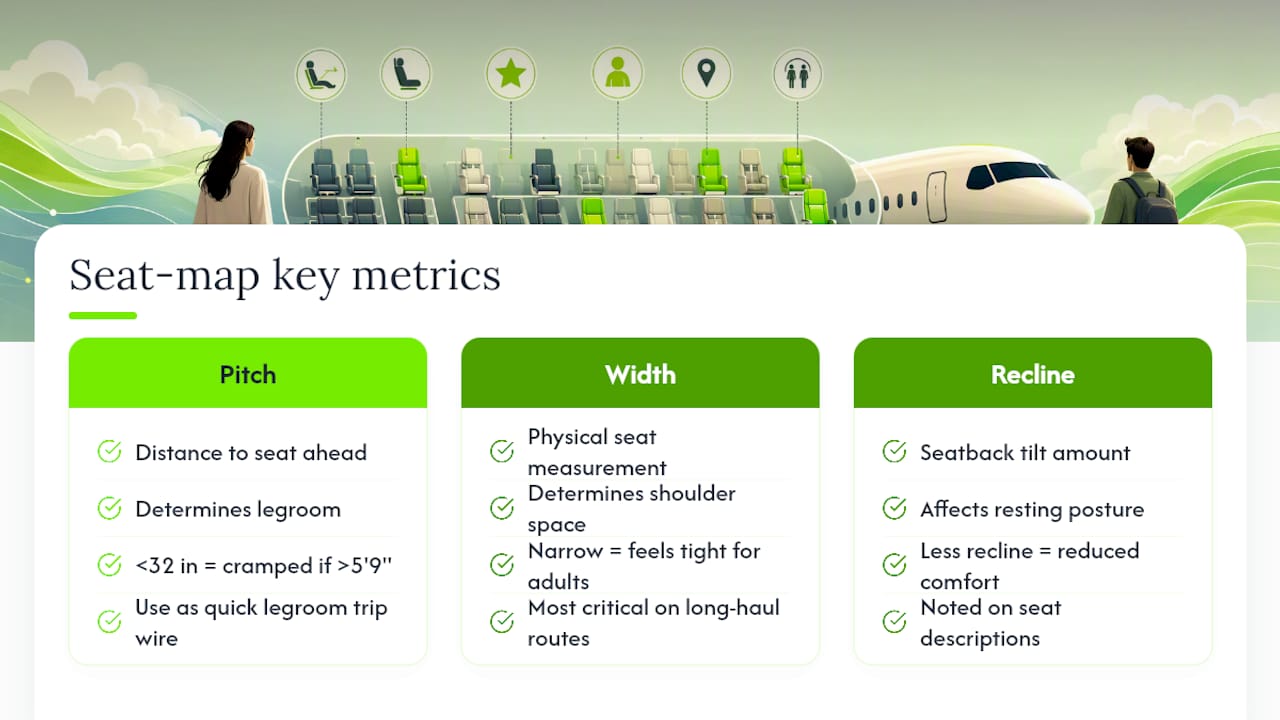
Below about 32 inches of pitch, expect your knees close to the seatback ahead, especially if you’re over 5’9". Width less than typical adult comfort will feel tight for most adult frames, particularly on long-haul routes. These aren’t hard cutoffs, but they’re useful trip wires when you’re scanning a chart quickly.
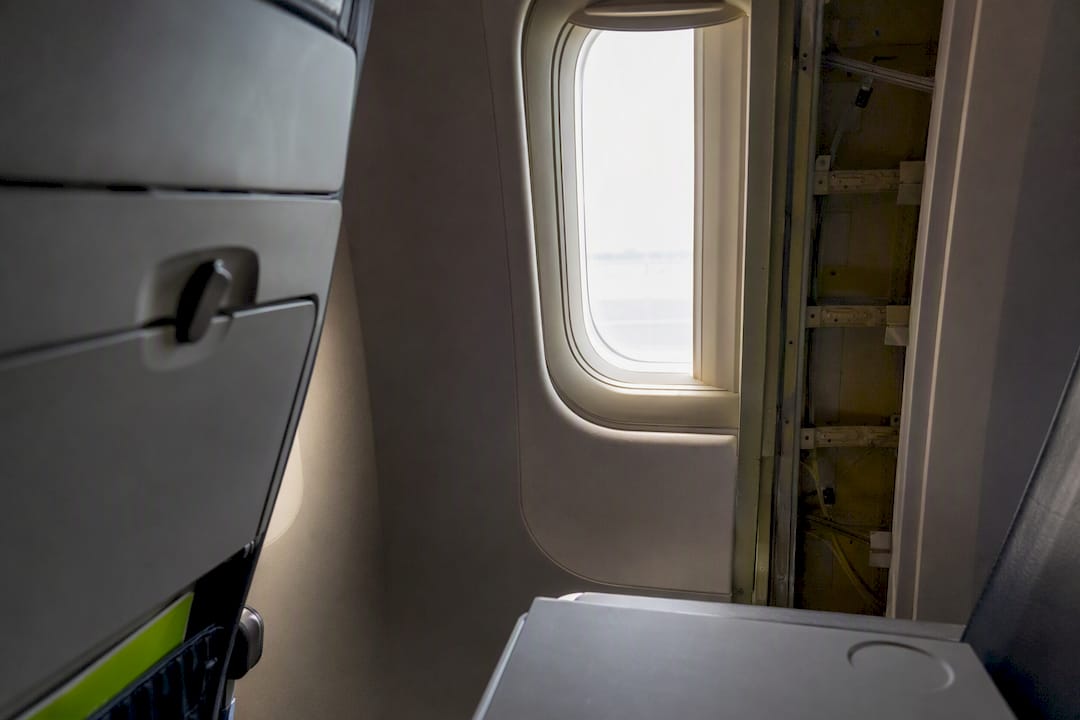
Orientation matters too. The front of the aircraft is almost always at the top of the map, cabins are numbered sequentially from front to back, and bulkhead rows (front of a cabin section) get marked differently from exit rows (mid-cabin, often near wing exits). Watch for windows that don’t line up with seat rows. This happens on some Boeing 737 and Airbus A320 variants where structural ribs or emergency equipment shift the window spacing, and you can end up in a window seat with wall between you and the view.
The same aircraft family can also feel completely different between two airlines’ configurations. One carrier’s 737 MAX might run 16 inches wide in economy while another squeezes to 17 with tighter pitch, all under the identical model name. Airlines’ own seating configurations vary meaningfully by fleet and route, which is exactly why matching your specific flight number beats trusting a generic model chart.
Certain rows look fine on a chart but disappoint in person. Knowing what to check before you commit saves you from an unpleasant surprise at 30,000 feet.
Different tools solve different problems, and knowing which one to reach for saves time.
| Tool type | Best used for |
|---|---|
| LOPA databases | Verifying cabin layout and aircraft variant |
| Flight-specific + GDS tools | Real-time seat availability and swap alerts |
| Passenger review sites | Judging comfort details specs don’t capture |
Timing changes your odds more than most travelers realize. Here’s a practical sequence:
Match your seat to your goal with these tips for best flight seats. Want legroom above all else? Target an exit row. Need a fast exit after landing? Book a seat in the front third of the cabin. Trying to sleep? A window seat near the front avoids the mid-cabin noise and gives you something to lean against. Traveling with someone? Book together early, since adjacent seats vanish quickly on full flights.
Pro Tip: If you’re stuck in the back of the plane on a fuller flight, you’ll deal with more turbulence and lavatory traffic, but you also have better odds of an empty middle seat next to you on routes that don’t sell out. It’s a trade worth weighing rather than automatically avoiding.
Even a well-researched seat map can’t guarantee a great seat. Sometimes the plane swaps, sometimes the exit row you wanted is gone by the time you check in. That’s where small gear choices earn their keep.
A compact lumbar cushion counters the flat, unsupportive seatback you’ll find in most economy rows, especially useful if you land in a bulkhead or last-row seat with limited recline. A portable footrest helps on aircraft with pitch under 32 inches, since it lets you shift your knees off the seatback ahead of you. If you’re stuck near a galley or lavatory, noise-isolating gear does more for your flight than any seat map ever could.
For a deeper walkthrough on matching gear to seat type, Sitpack’s comfort tips for travelers covers specific fixes by seat problem, and our flight seat guide breaks down cabin layouts in more depth.
Pro Tip: If you know you’re getting a bulkhead seat with no underseat storage, pack a slim daypack you can wear or stash overhead, since you won’t have floor space for a bag during takeoff and landing.
Most seat-selection advice treats the seat map as the finish line. It isn’t. The map tells you where the exit row sits and how many inches of pitch you’re getting, but it can’t tell you that your flight got a last-minute aircraft swap or that the “quiet” row you picked backs onto a crew rest area that wasn’t marked.
The conventional advice, pick your seat once at booking and forget it, undersells how much changes between booking and boarding. Aircraft swaps happen. Seats airlines hold back for elite members get released. A map you checked three months ago can be stale by departure day.
What actually matters is treating the seat map as something you revisit, not a one-time decision. Check it at booking, check it again at 24 hours out, and cross-reference more than one source before you commit to hopes over data. And when the seat you land in isn’t the one you wanted, the fix usually isn’t a better map. It’s a lumbar cushion, a footrest, and knowing which small adjustments actually offset a bad row.
How do I find the seat map for my specific flight? Enter your flight number and travel date into a flight-specific seat-map tool, or open your airline’s manage-booking page and look up the aircraft type listed for that route and date.
Why does the same aircraft model show different seat maps? Airlines operate multiple configurations of the same aircraft family, so seat count, galley position, and last-row numbering can vary even when the plane model matches. Always confirm seat count and row range against your booking.
Do flight seat maps change after I book? Yes. Aircraft swaps, schedule changes, and seat releases at 24-hour check-in can all alter what’s available, so it’s worth checking your seat map more than once before departure.
What’s the safest seat to pick if I want quiet and legroom? A window or aisle seat in the front third of the cabin, away from galleys and lavatories, generally offers the best balance. Exit rows offer more legroom but come with recline restrictions on some aircraft.
Are third-party seat-map sites more accurate than the airline’s own page? Not always more accurate, but often more complete, since airlines sometimes withhold row details until after purchase. Cross-checking both gives you the clearest picture.