Cart
0
Sign up and get 10$ off your order
Expected delivery
1-3 days
You may also like


Danish Company

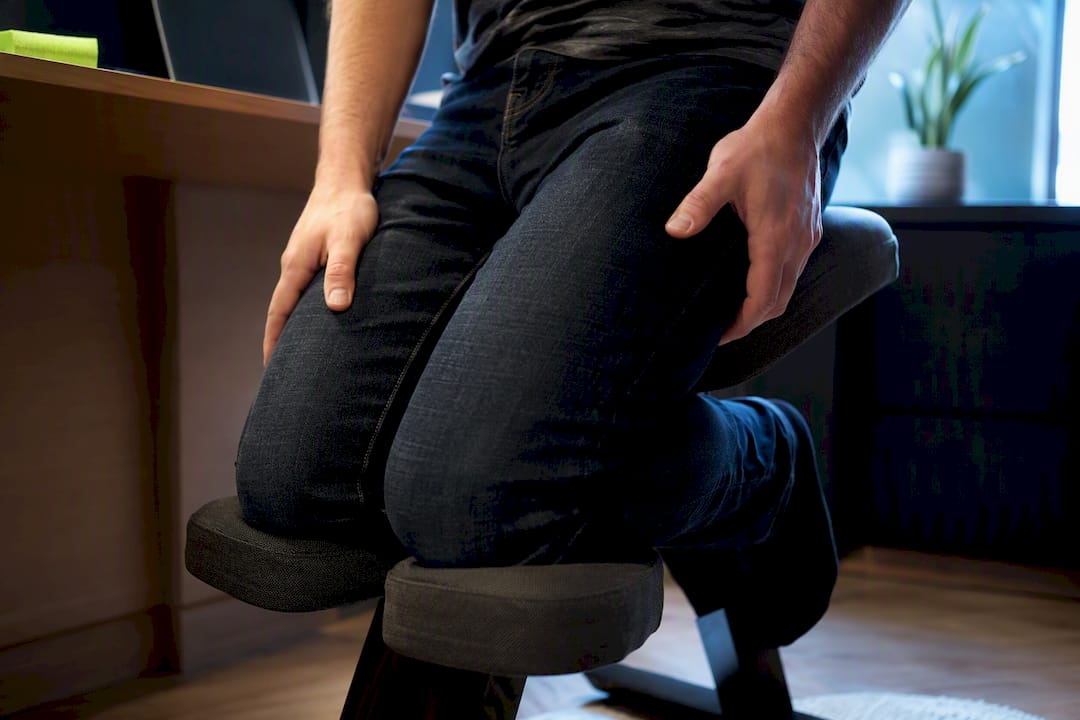
Ergonomic kneeling chair benefits are real but conditional: the forward-sloping seat opens your hip angle and keeps your lower back closer to its natural curve, which typically eases mild-to-moderate back pain from slouched sitting. The catch is that you have to adjust it correctly and rotate it with other seating, or you just trade lower back pain for sore shins.
TL;DR:
- Properly adjusted kneeling chairs with around a 20-degree tilt between the seat and knee rest significantly reduce lumbar muscle activity and improve spine curvature compared to standard chairs.
- Sitting on a kneeling chair with the correct posture typically involves short initial periods of 20 to 30 minutes, gradually increasing to one to three hours, while ensuring monitor height and seat settings are optimized.
- Using a kneeling chair may cause knee or shin discomfort if padding is inadequate or angles are not properly adjusted, and it may lead to fatigue or neck strain in some users.
- The benefit for back pain is most present for those whose discomfort stems from slouched sitting and who need focused, forward-facing work, but it is not suitable for prolonged recline or people with existing knee or spinal issues.
- Portable, foldable ergonomic seats provide a flexible alternative for users who split work locations and want to incorporate better seating habits without investing in a dedicated kneeling chair.
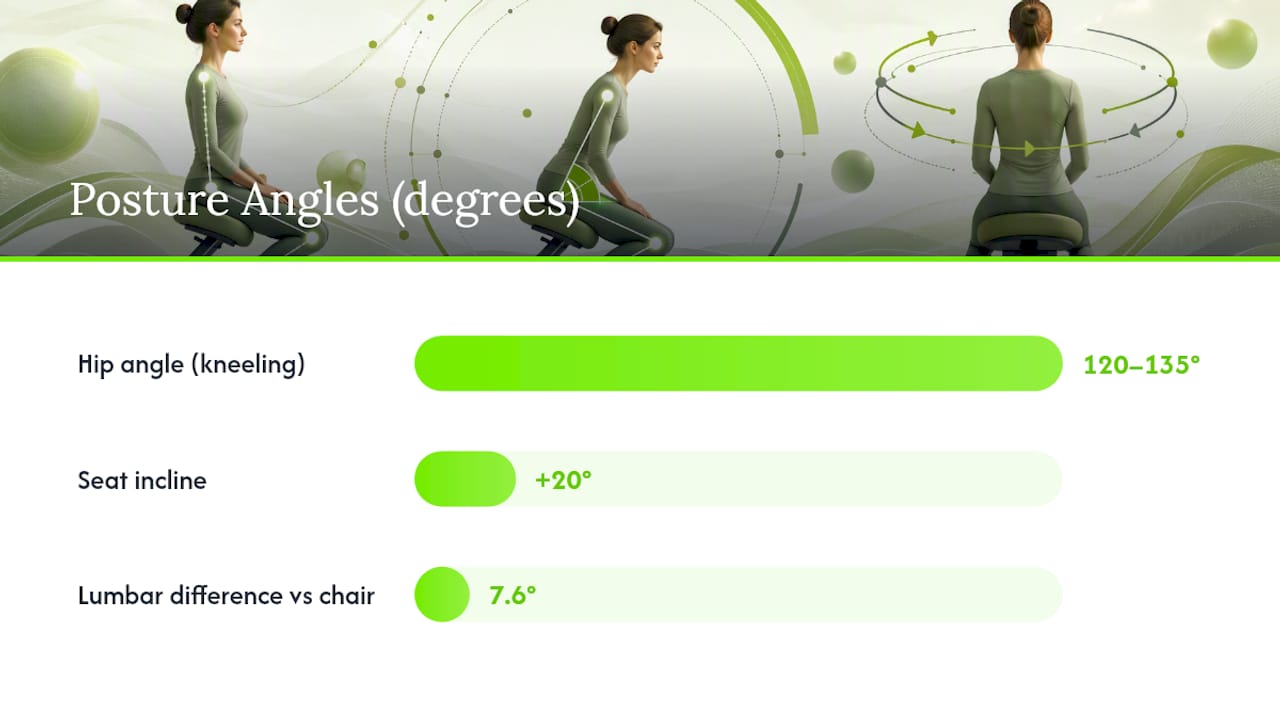
A kneeling chair is built around one simple trick: instead of a flat seat and a 90-degree hip bend, the seat pan tilts forward and a padded knee rest takes some of your weight. That combination opens your hip angle to somewhere between 120 and 135 degrees, which nudges your pelvis into a slight forward tilt rather than the backward rotation that happens in a standard office chair.
That forward tilt matters more than it sounds. When your pelvis rotates back, as it does in most desk chairs, your lower spine flattens out and loses its natural inward curve, called lumbar lordosis. A kneeling chair works against that collapse. Research comparing an ergonomically designed kneeling chair set at roughly +20 degrees of incline to a standard computer chair found it preserved standing lumbar curvature far better, with a mean difference of about 7.6 degrees between the two setups.
Pro Tip: Sit toward the front edge of the knee rest, not jammed all the way back. That small shift changes how much weight lands on your shins versus your sit bones, and it’s the single most common adjustment people skip.
Splitting your weight between your sit bones and your shins redistributes load away from the lumbar discs, reducing pressure on the spine. Several practical benefits follow from that geometry:
Kneeling chairs also tend to cost less than premium ergonomic office chairs with lumbar mechanisms and adjustable everything, which makes them a reasonable entry point if you want to test whether posture-focused seating helps before investing in a full ergonomic setup.
The evidence isn’t just anecdotal. Researchers have measured muscle activity directly, and the findings explain why some kneeling chairs feel better than others.
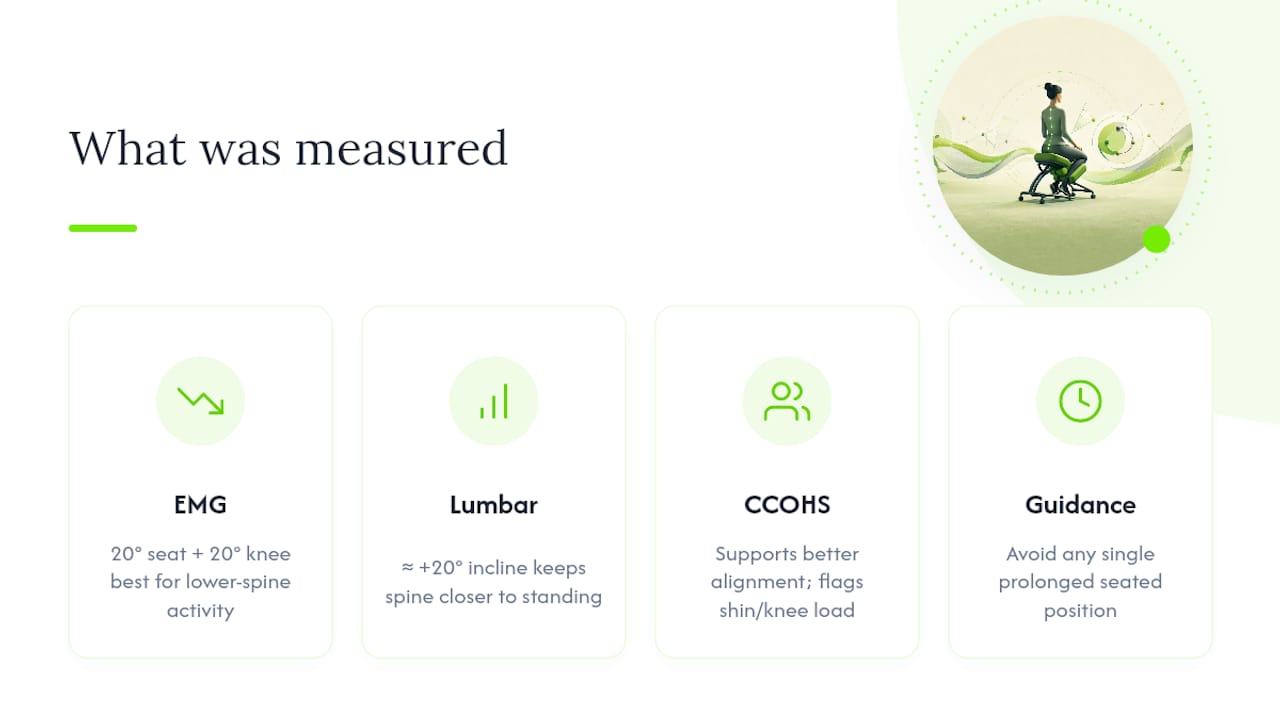
One study using electromyography (EMG) tracked lumbar erector spinae muscle activity, the muscles running along your lower spine, across four different kneeling chair angle combinations. Unsupported kneeling postures produced significantly less of that muscle activity and lower perceived discomfort than unsupported traditional sitting, and the researchers identified one specific setup, a seat-pan angle of 20 degrees paired with a knee-rest angle of 20 degrees, as the best-performing configuration for both metrics.
A separate 2026 study reached a similar conclusion using different angle combinations, finding that specific seat-pan and knee-rest pairings significantly cut lumbar erector spinae activity and perceived discomfort compared with poorly matched angle setups. The takeaway across both studies is consistent: the angle combination is not a minor detail. A kneeling chair set at the wrong pitch can perform worse than a standard chair, while one dialed to roughly 20 degrees on both the seat and knee rest tends to outperform it.
That lines up with the lumbar curvature findings. A kneeling chair inclined near +20 degrees kept the spine’s shape closer to standing posture than a standard chair did, but it still didn’t fully replicate true standing curvature. Think of it as a strong approximation, not a perfect substitute.
The Canadian Centre for Occupational Health and Safety backs this up from a workplace-safety angle, listing better spine alignment and easier forward reach as genuine advantages while flagging shin and knee load as a real, offsetting cost.
Quick fact: the CCOHS explicitly advises against holding any single seated position, kneeling included, for extended stretches without a break.
The same geometry that helps your lower back can hurt your knees and shins if the padding is thin or you lean too far back onto the rest. That’s the most common complaint, and it’s usually fixable with better cushioning or a slight angle tweak rather than abandoning the chair altogether.
A few other downsides show up consistently:
Anyone with existing knee problems, patellar issues, or diagnosed spinal conditions should talk to a clinician before switching, since the shin-loading mechanism that helps most people can aggravate those specific issues. If you sit through long meetings or need a chair that reclines, a kneeling chair will frustrate you more than it helps.
Getting the geometry right takes ten minutes. Getting your body used to it takes longer.
A rotation habit protects you better than any single adjustment. Ergonomics guidance commonly recommends a 50/25/25 split across your workday: roughly half your seated time kneeling, a quarter in a traditional supportive chair, and a quarter standing or moving. If you feel sharp knee pain, numbness, or persistent shin soreness that doesn’t ease with padding changes, stop and check in with a physical therapist or your doctor before continuing.
For more on adjusting seat height and monitor alignment together, see this seating ergonomics guide.
Kneeling chairs suit people doing focused, forward-facing work: writing, drafting, coding, anything where you’re leaning slightly toward a screen or desk for stretches at a time. If your lower back stiffens up from slouching rather than from a diagnosed disc or joint issue, this is exactly the kind of discomfort a kneeling chair addresses well.
They’re a poor match for anyone who needs to recline, sit through long back-to-back meetings, or already deals with knee pain. Plenty of people pair a kneeling chair with a standing desk and a conventional ergonomic office chair, rotating between all three rather than treating any single option as the whole answer.
Most people give up in the first week, right when their shins are adjusting, instead of pushing through to the two-week mark where posture gains actually show up. The biggest design mistake I see isn’t the chair itself. It’s a desk setup where the monitor never got raised to match the new sitting angle, which quietly creates the neck pain people then blame on the chair.
Padding quality and angle adjustability matter more than most buyers expect before they try one.
— Jonas
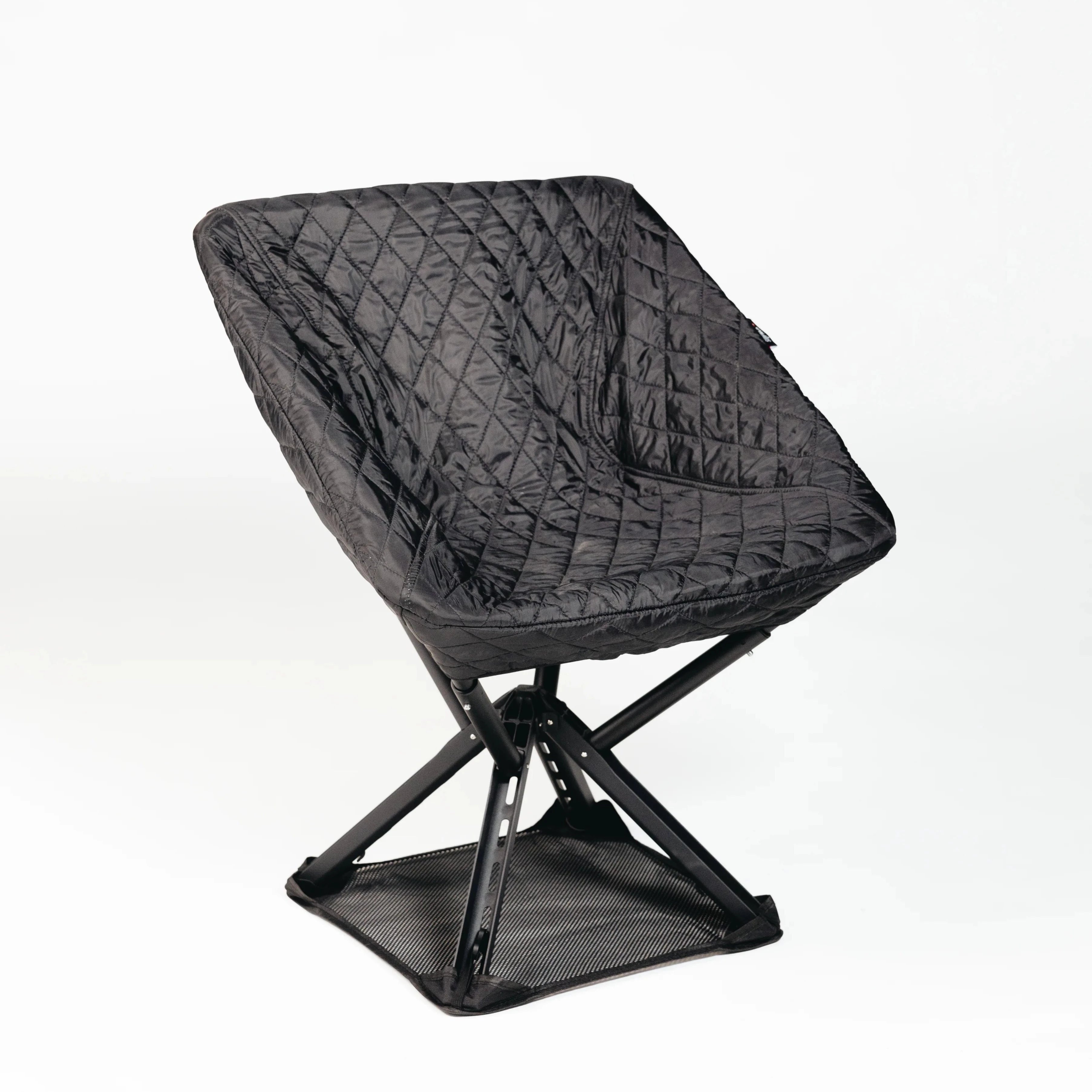
If a kneeling chair sounds appealing but you’re not ready to commit a whole desk setup to it, or you split time between a home office, a coworking space, and travel, a fixed kneeling chair isn’t always practical. Sitpack built its seating around exactly that gap: lightweight, foldable designs that pack down small enough to move with you, so better posture habits don’t have to stay tied to one room.
A portable ergonomic seat works well as a complement to a kneeling chair rather than a replacement for it, giving you a supportive option for the 25 percent of your day the rotation strategy sets aside for traditional sitting, or for whenever you’re working somewhere your kneeling chair isn’t. Testing whether a portable ergonomic seat fits your routine carries little risk due to satisfaction guarantees and warranties offered by some brands. Browse the current lineup on the Sitpack homepage to see which model matches how and where you actually work.
For mild-to-moderate back pain tied to slouched sitting, yes. Studies show properly angled kneeling chairs reduce lumbar erector spinae muscle activity and preserve more of your natural lumbar curve than a standard office chair, though they work best as one part of a rotation rather than an all-day replacement.
Start with 20 to 30 minute sessions and build up over one to two weeks toward one to three hours at a stretch, following a rotation like the 50/25/25 split between kneeling, traditional sitting, and standing.
The most common complaints are shin and knee pressure, fatigue from having no reclining option, and neck strain if the monitor height isn’t raised to match the new sitting angle, as CCOHS notes in its guidance on alternative seating.
Recommendations vary by individual case, but kneeling chairs are generally viewed as a reasonable option for people with posture-related lower back stiffness, while those with existing knee or spine conditions should check with a clinician first.